
Discord message cleanup
DisDeleter bulk-deletes your own messages from DMs, group chats and servers — filtered by date or keyword, paced to stay inside Discord’s limits, and running in the background while you do something else.
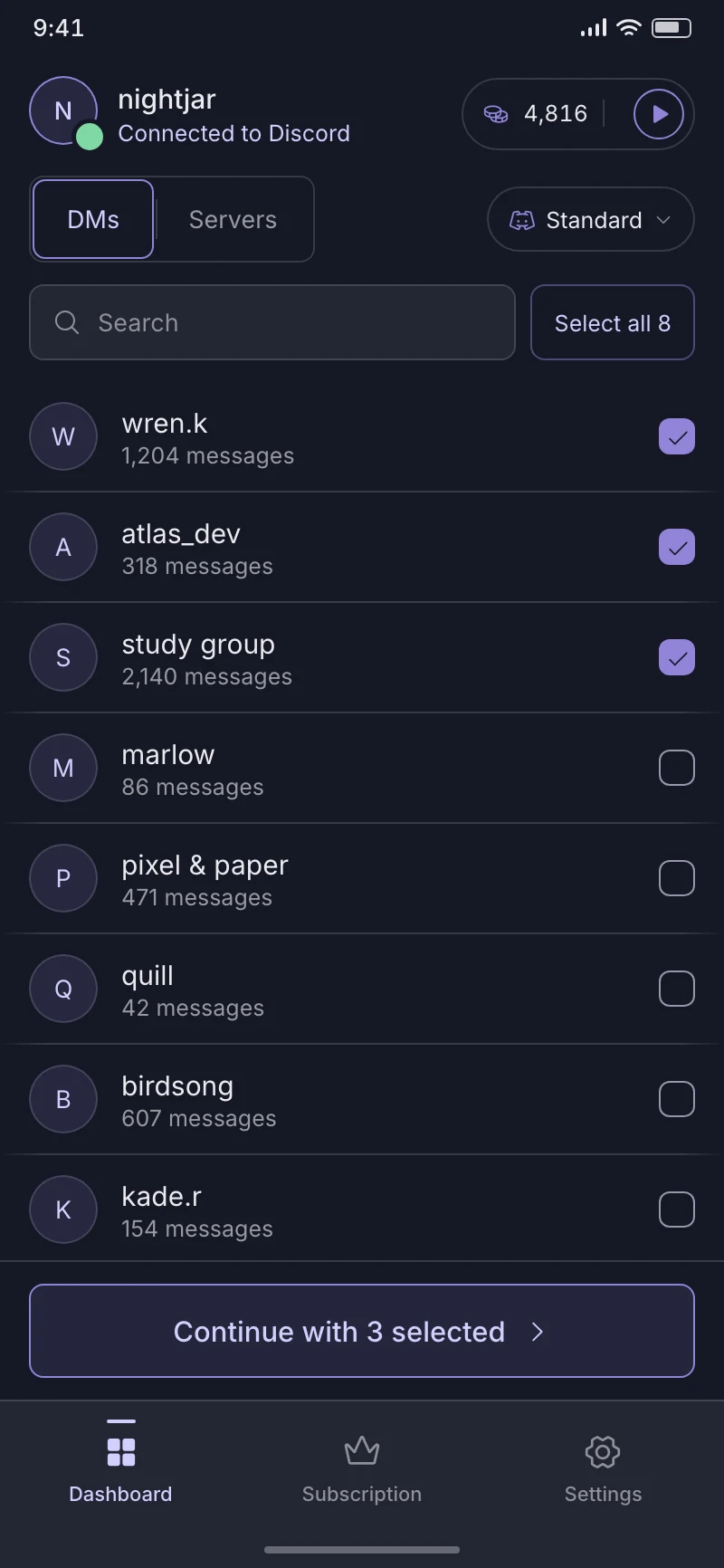
Your session stays on this device. Nothing is deleted until you start a cleanup.
How it works
Nothing is deleted until you start a cleanup, and you choose exactly what a run touches before it begins.
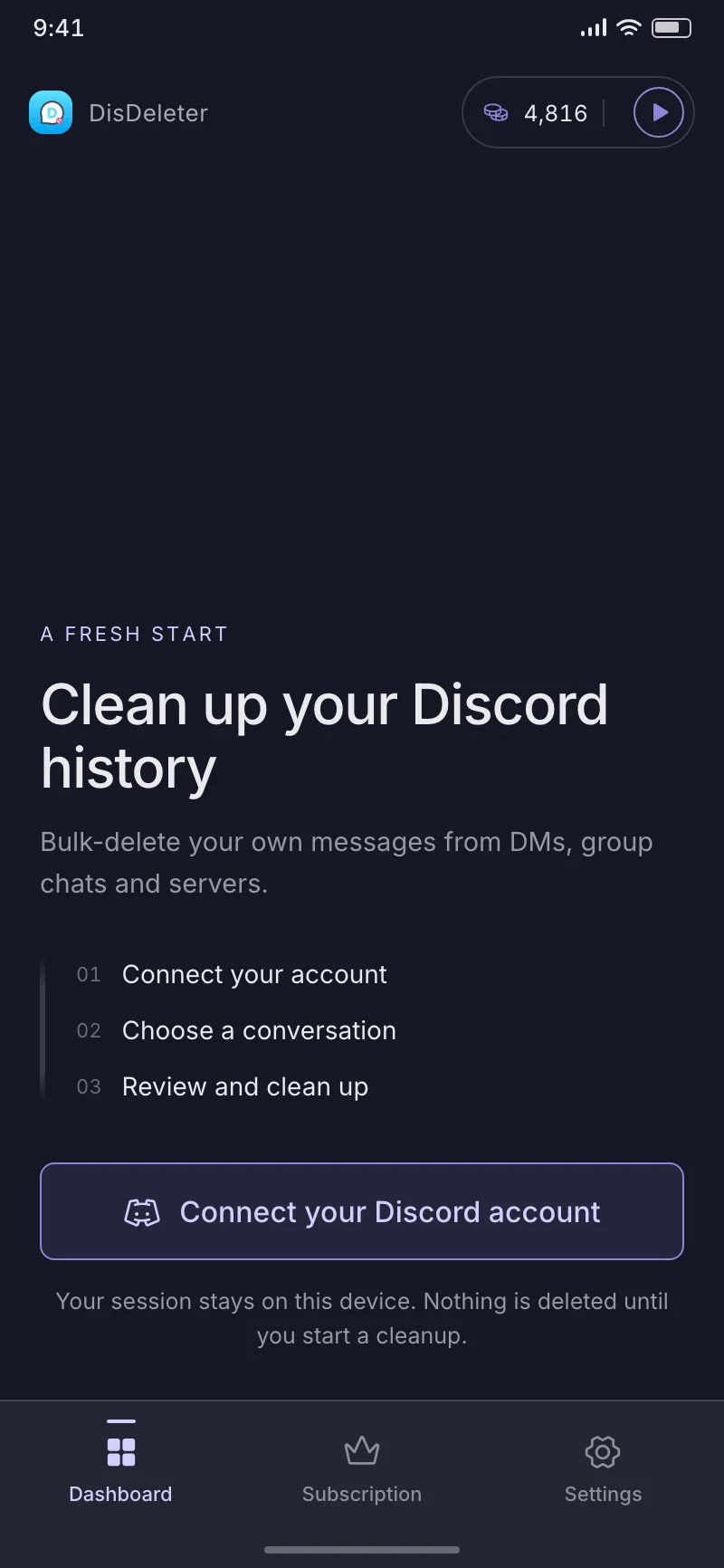
Step 01
You sign in on Discord’s own page inside the app. The session it hands back is encrypted and kept on your phone — nothing is sent anywhere else.
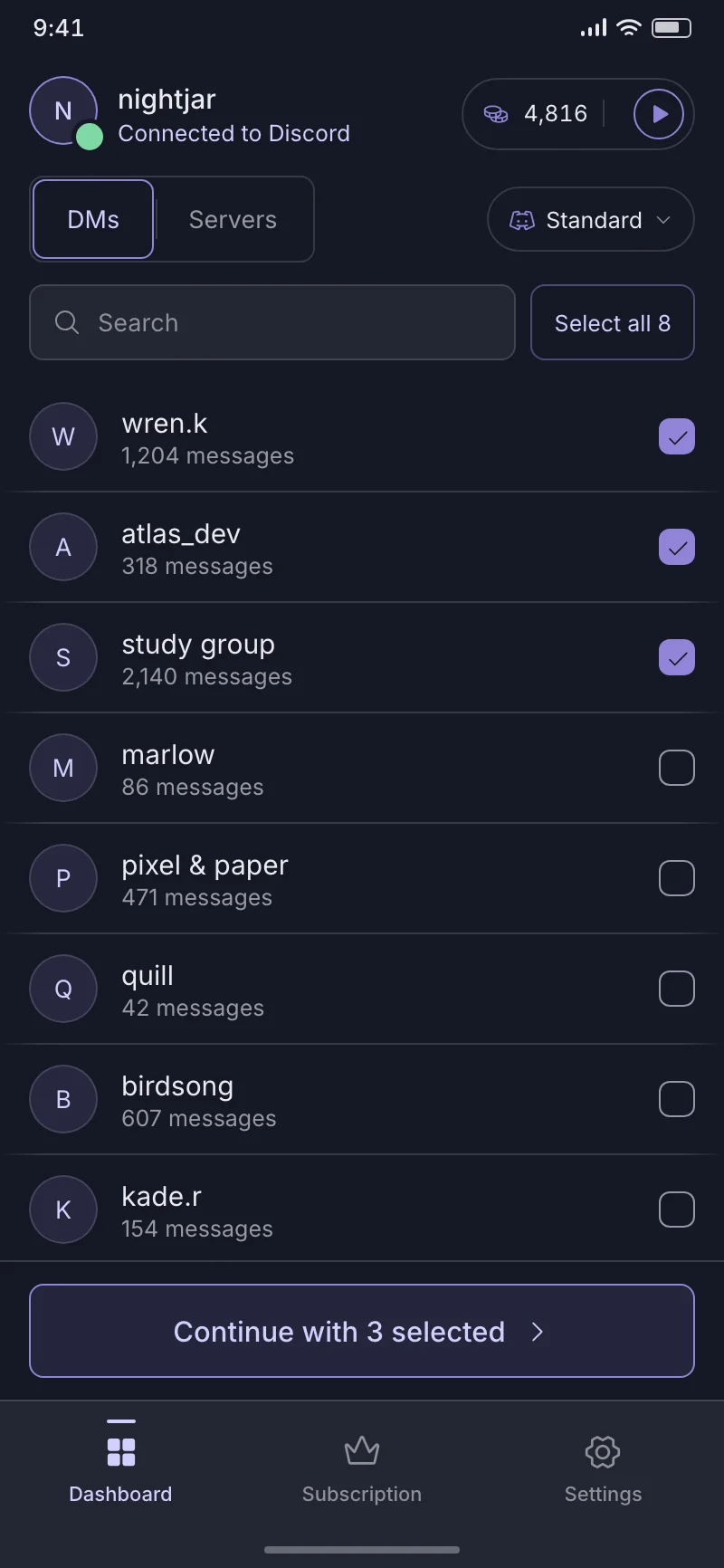
Step 02
Pick the DMs, group chats or server channels to clean. Narrow a run down to a date range or to messages containing a keyword.
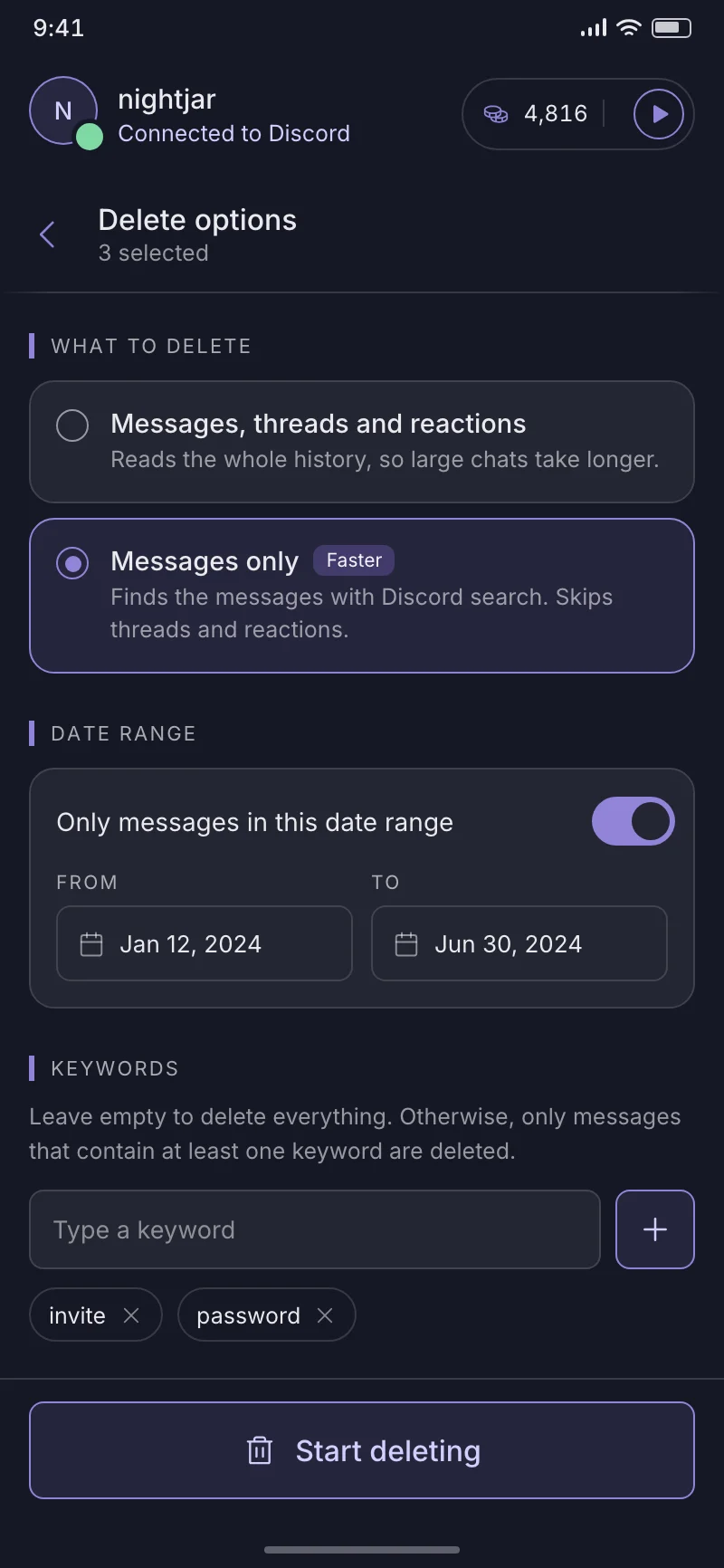
Step 03
Start the run and switch apps if you like — it keeps going with a notification, backs off when Discord asks it to, and reports what happened to each selection.
What it does
Discord gives you one delete button, one message at a time. DisDeleter works through whole conversations, with the filters and the reporting that a bulk job needs.
Delete modes
Your own messages in the chats you pick, other members’ messages in servers where you can manage messages, or everything in your Discord data export.
Filters
Limit a run to a date range, or to messages that contain at least one of your keywords. Leave both empty and it takes the lot.
Data package
Import the package.zip Discord emails you and the app can delete from conversations its own lists have long since dropped.
Admin
In servers where you can manage messages, clear a channel of everyone’s messages — or of one member’s, picked from the list or added by user ID.
Long runs
Switch apps or lock your screen: deletion keeps running with a notification, pausing and resuming on its own whenever Discord’s rate limit kicks in.
Privacy
Your messages are read on your phone and deleted straight from Discord. They are never uploaded, and your data export never leaves the device either.
Free and Premium
Credits and reward videos stay free. Premium just takes the limit off — and takes the ads with it.
Free
Get the app
Premium
Premium is an in-app subscription
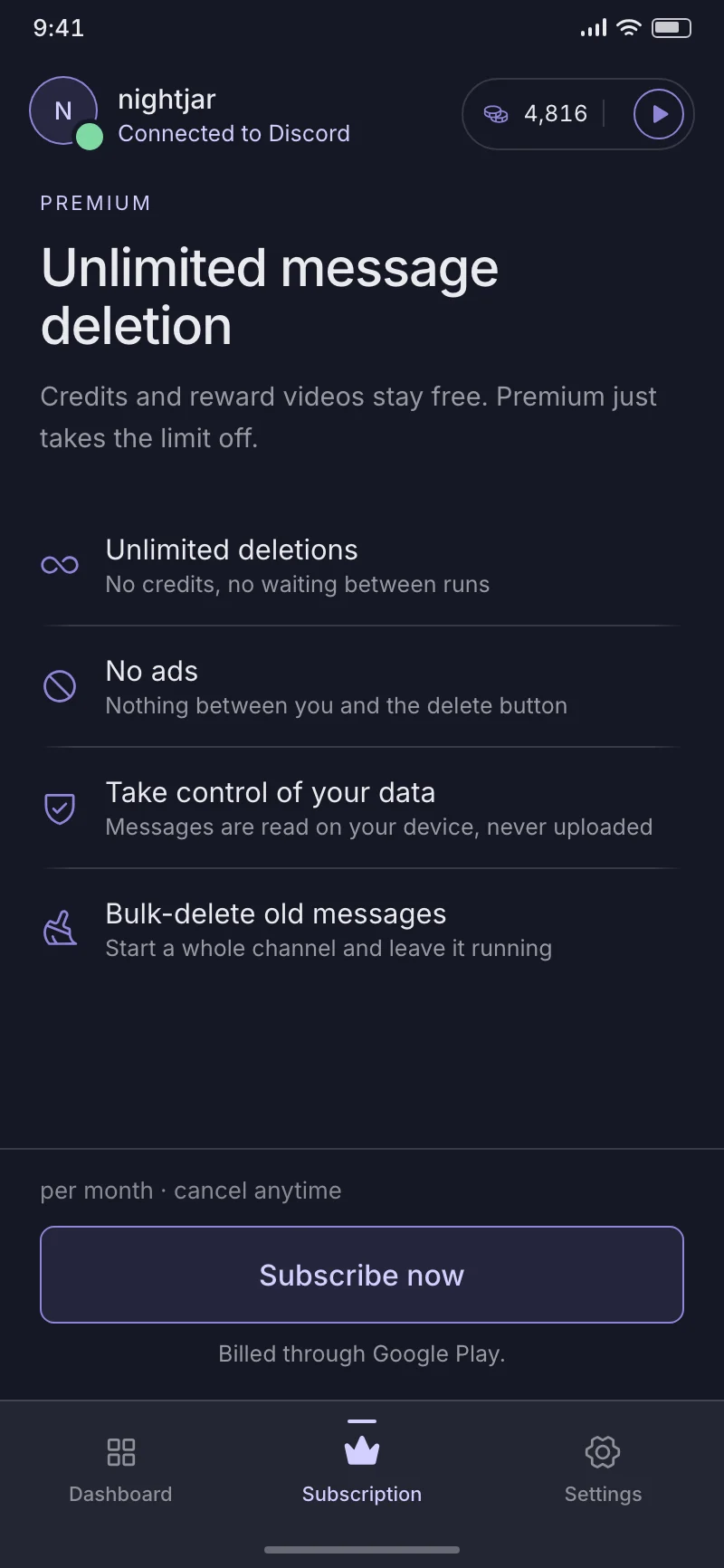
Billed through Google Play, per month, cancel any time.
iPhone and iPad
DisDeleter is Android only. Our other app, unpost.app, deletes your messages from Discord, Instagram, Reddit, X and Slack — in one app, on iOS and Android.
Same developer, same approach to your data.
FAQ
The things people ask before they install.
No. You sign in on Discord’s own page inside the app. DisDeleter only keeps the session token that page hands back, encrypted on your phone, and uses it to delete on your behalf.
Only in servers where Discord already lets you manage messages — that is what Admin mode is for. In DMs and group chats you can only delete messages you sent yourself.
Yes. Discord’s own bulk-delete endpoint stops at 14 days; DisDeleter deletes message by message instead, so age is not a limit. It is slower, which is why a long run is built to be left alone.
Discord will email you an export of your account if you ask for it. Import that package.zip and the app can reach messages that Discord’s own lists no longer show — closed DMs, servers you have left. Make sure the export includes Messages.
No. Deleting is permanent and deleted messages can’t be recovered — by you, by us, or by Discord. That is why the app makes you pick exactly what a run touches before it starts.
Deletion is paced to stay within Discord’s rate limits, so large chats take a while. When Discord asks the app to wait, it waits and resumes on its own rather than pushing through.
You can switch apps or lock your screen — deletion keeps running, with a notification. Swiping the app away from recent apps stops it. It is also best to avoid using your Discord account elsewhere while a run is going.
The app talks to the same API Discord’s own client uses, deletes only what you selected, and never posts, reacts or messages on your behalf. It backs off on every rate limit rather than hammering the endpoint.
Yes. Deletions spend credits, and you can watch a short video for more at any time. Premium is a monthly subscription that removes the credit limit and the ads; everything else works the same.
Not of DisDeleter. Our other app, unpost.app, does the same job on iOS and Android, and covers Instagram, Reddit, X and Slack as well as Discord.

Get DisDeleter
Connect your account, pick the chats to clean, and start the run. Nothing is deleted until you do.
Free to start • Nothing uploaded • Android
